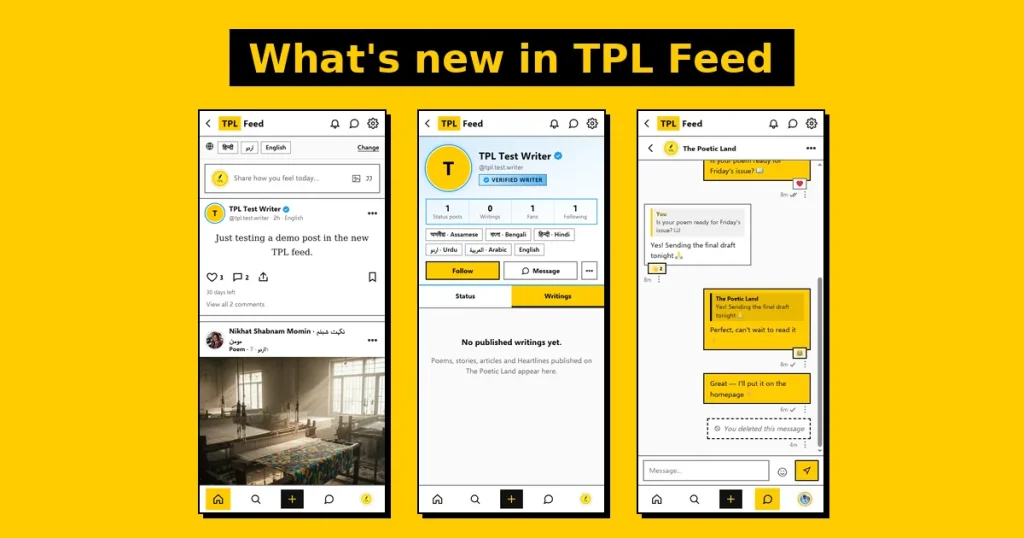
Poetry has always been a conversation. A line is read, remembered, sent to a friend, argued over late at night. TPL Feed is where that conversation now lives on The Poetic Land: our own literary social space for readers and writers, in the languages you read and dream in.
Over the past few days TPL Feed has grown a great deal. This is a tour of everything new, with screenshots, and short steps so you can try each feature yourself.
A feed made of poems, stories and people
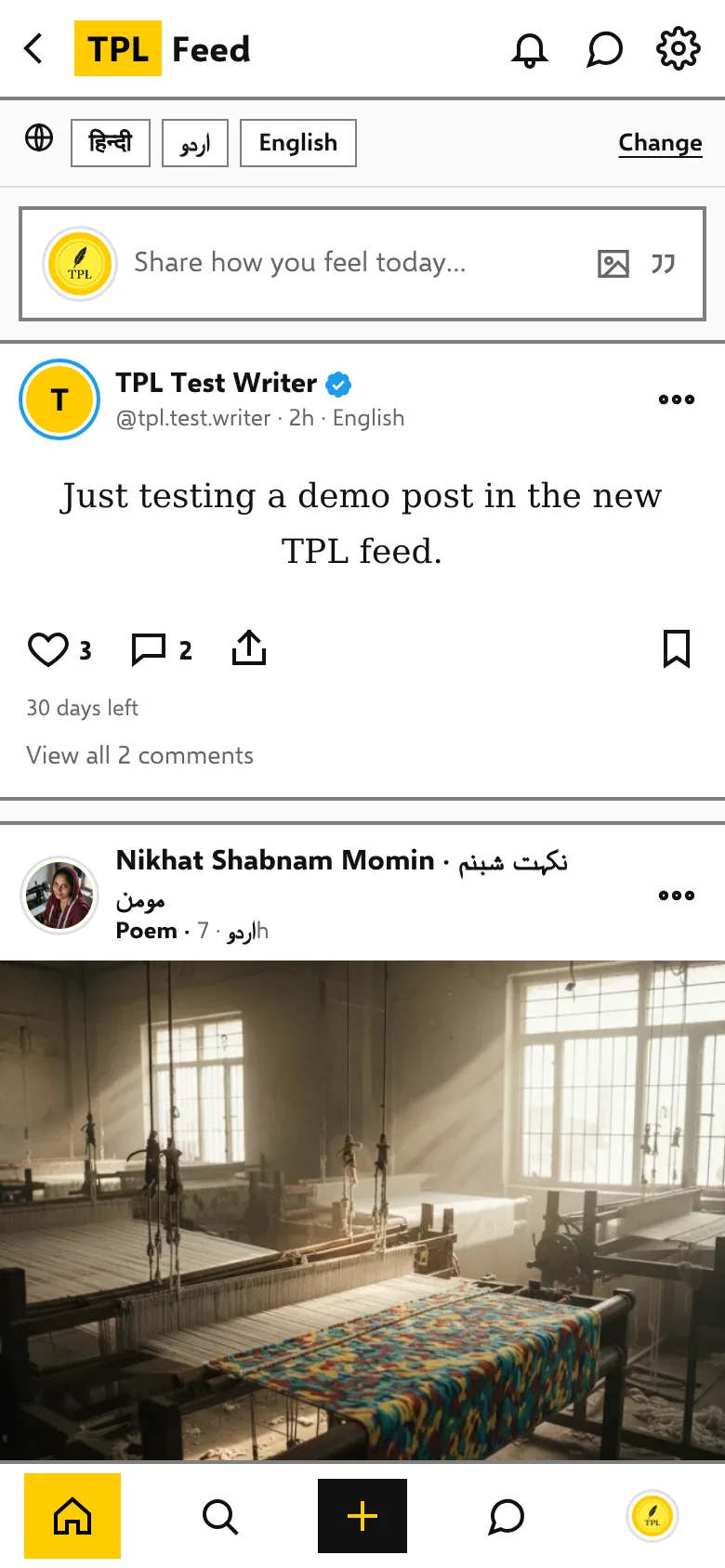
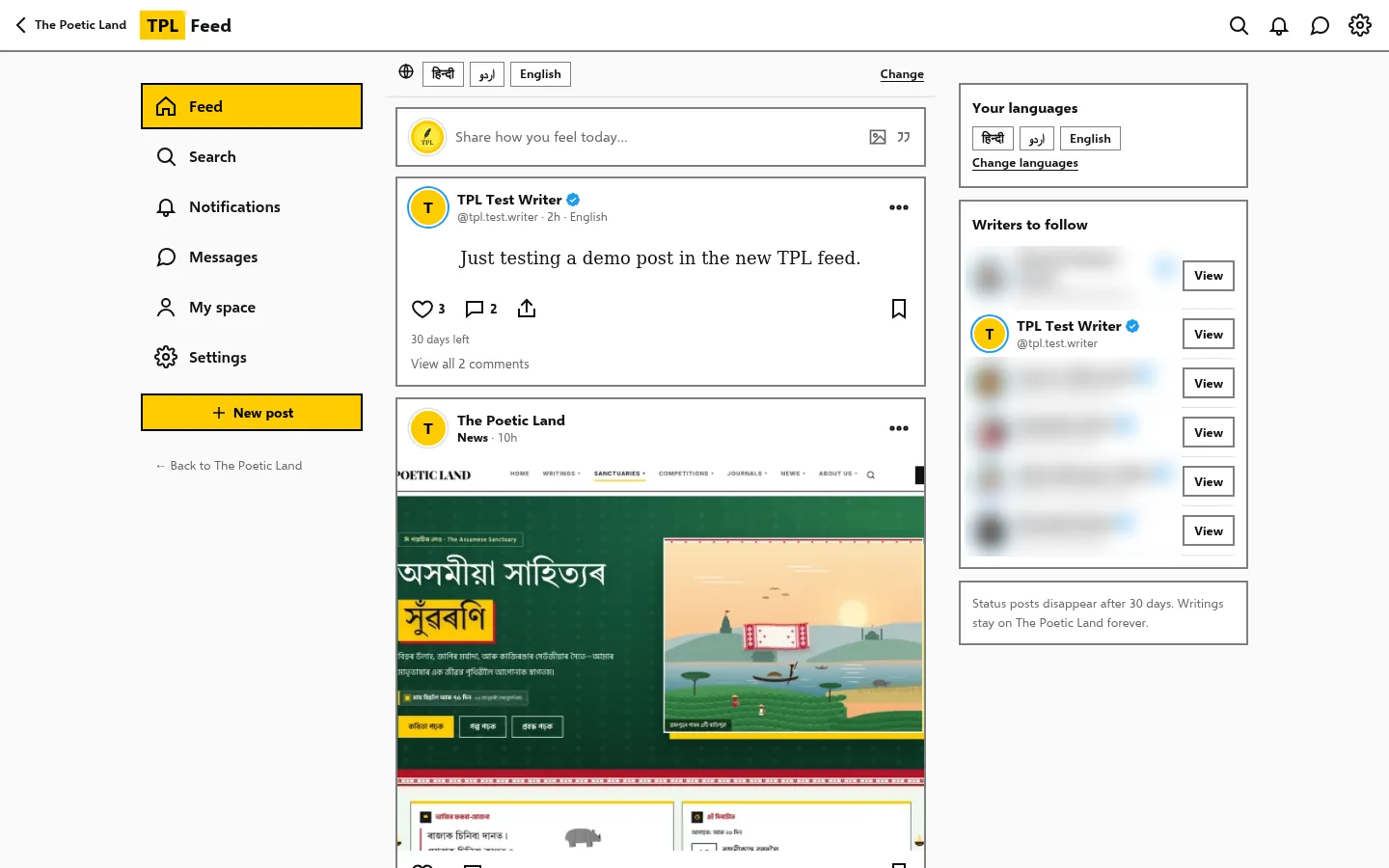
Open TPL Feed and you will find a single, simple stream: short Feed posts from readers and writers, side by side with poems, stories, articles and Heartlines published on The Poetic Land. Every writing appears as a card with its cover, its first lines and a Read the full poem → button.
- A healthy mix. The feed blends every kind of writing and many different writers, so no single voice or batch fills your screen.
- Original work only. The feed brings you new writing from our community. Classic poets stay in their own collections on the site.
- Posts that breathe. Feed posts stay in the feed for 30 days, then quietly make room for new ones. Your published writings stay on your profile.
Your languages, with English always on
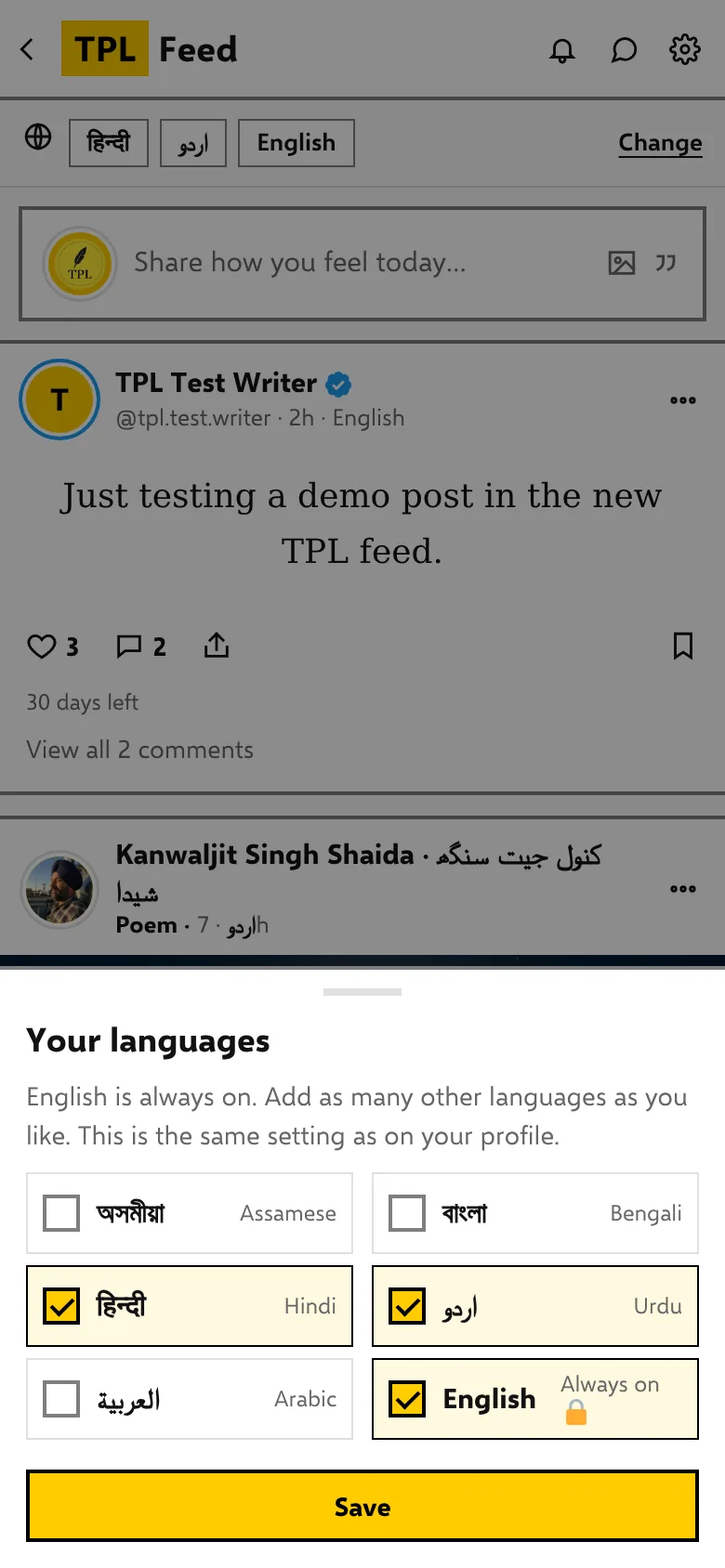
TPL Feed speaks Assamese, Bengali, Hindi, Urdu, Arabic and English. Pick the languages you read, and the feed fills with writing in those languages. English is always included, so every reader shares at least one common room.
How: tap Change above the post box and pick the languages you read.
Explore, follow, and become a Fan
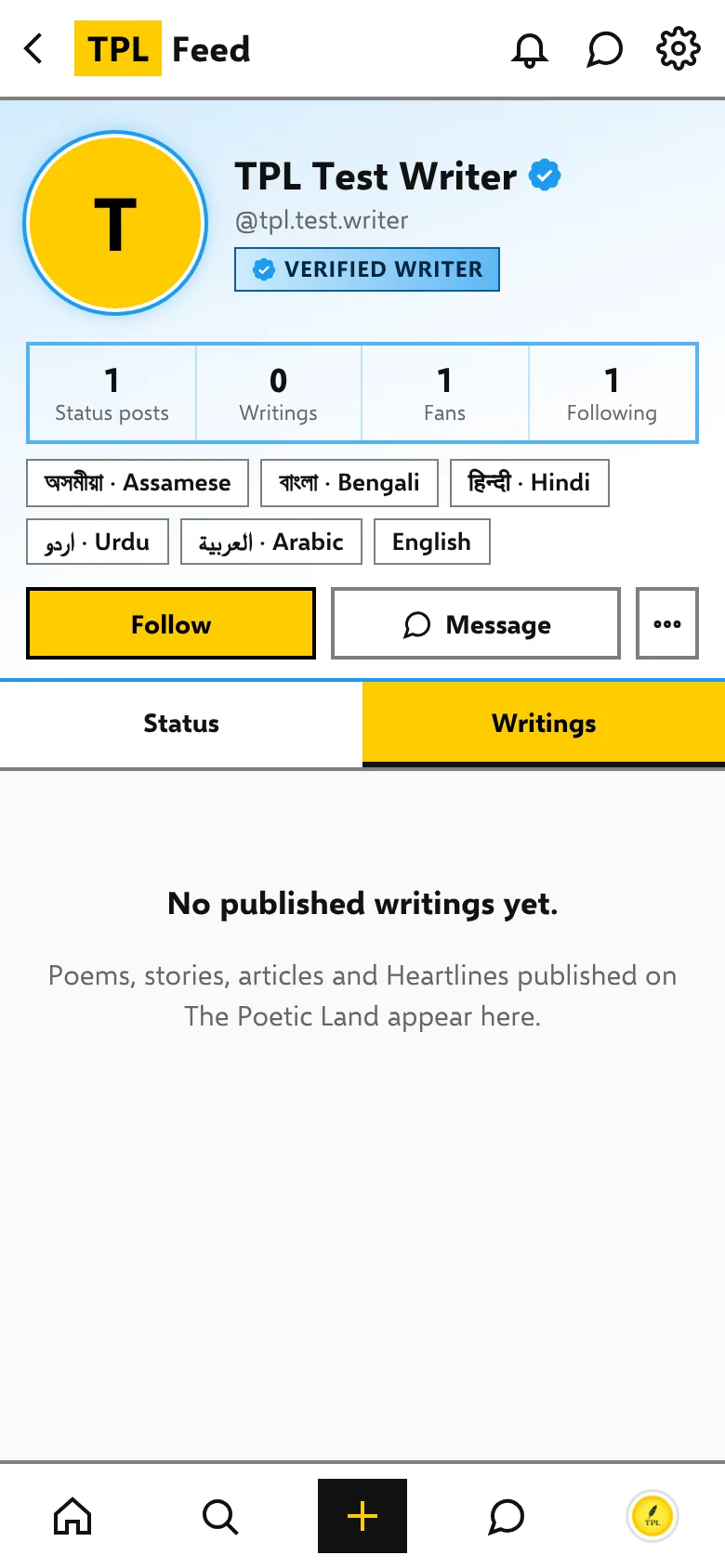
Use the search tab to find people by name. Open a profile to see their Feed posts and their published writings, then tap Follow. You can also Message them from the same profile.
Verified writers and the TPL team now carry a special touch: their followers are called Fans. Verified writers also have a new blue profile, with a blue tick and soft blue tones, while the TPL team keeps its yellow. You will know at a glance who wrote what.
See your profile before you join
Thinking of becoming a verified writer? The writer sign-up pages now show a preview: Here’s how your profile will look on TPL Feed. As you fill in your name, photo and bio, the preview fills in with you. Readers see the same preview in My Account, with a link to apply.
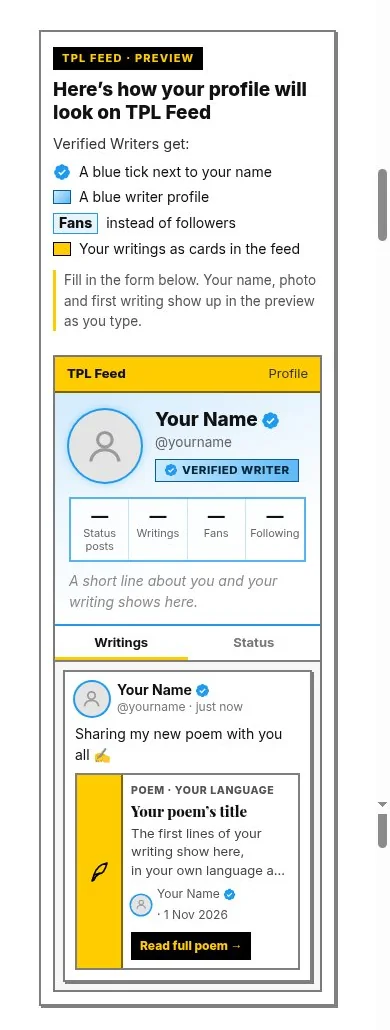
Your writer profile now looks the same wherever it appears: in TPL Feed, in My Account and on the writer cards on our Explore page.
All your notifications in one place
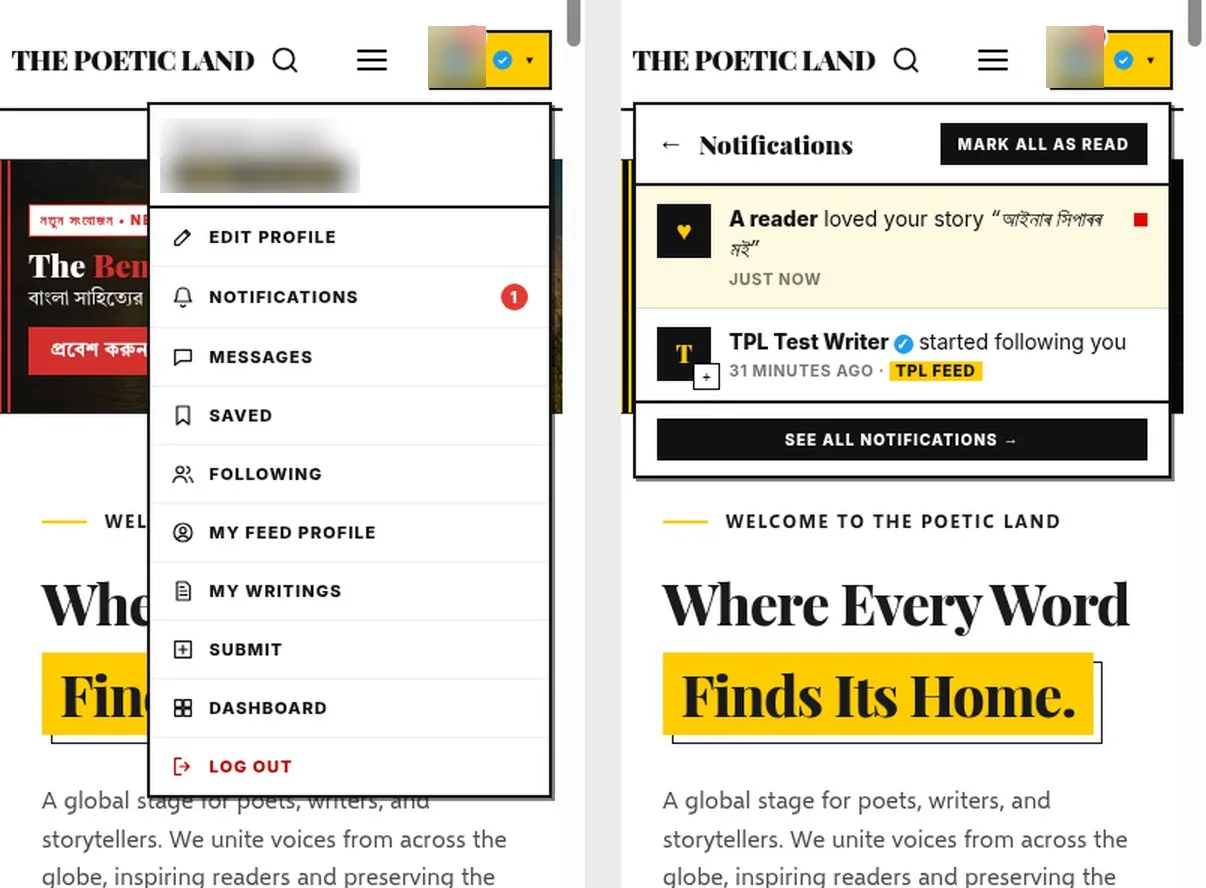
Tap your photo at the top of any page on The Poetic Land to open your new profile menu: Edit profile, Notifications, Messages, Saved, Following and your feed profile, all in one list. A small red badge on your photo tells you when something new has arrived.
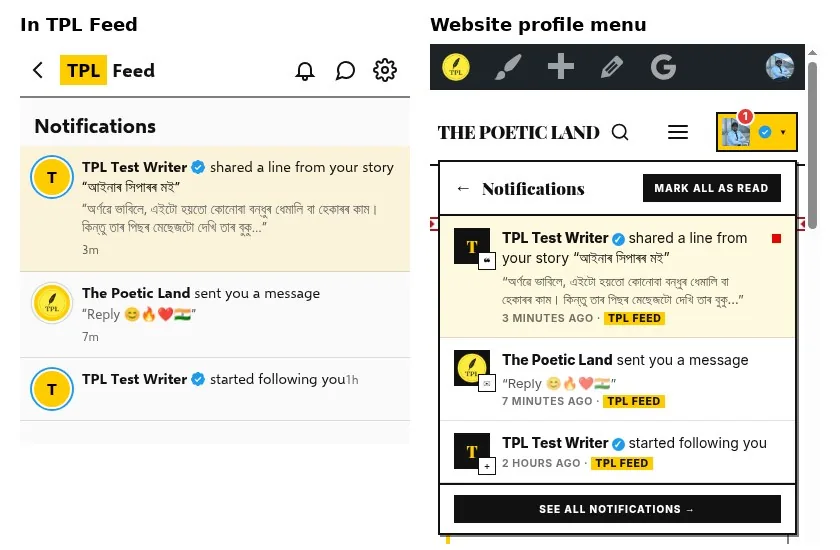
Notifications are the same everywhere: in TPL Feed, in the profile menu on the website, and under My Account → Notifications. Read one in one place and it is read in all of them.
Share a line, and the writer hears about it
Found a line that stopped you? Use Share a line on any writing to post it to the feed. The writer now gets a notification: “… shared a line from your poem”, with the line itself. Writers can turn this off in Feed Settings → Notifications → Someone shares my lines.
Discuss any writing on TPL Feed
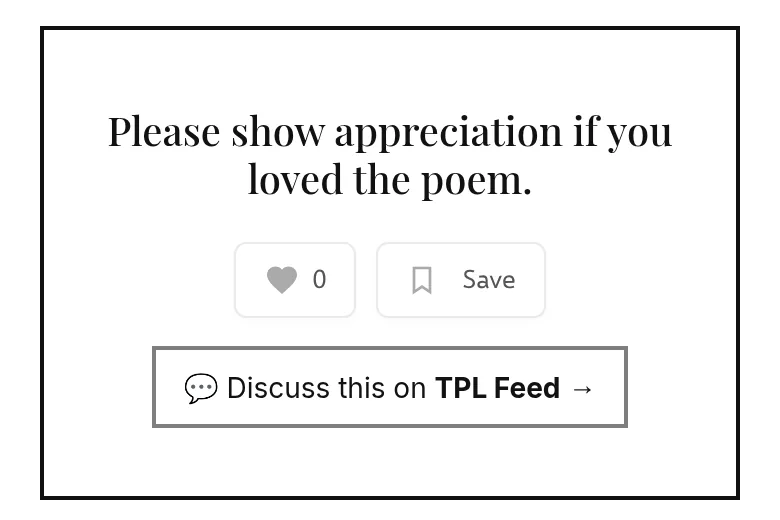
Under every poem, story, article and Heartline you will now find a button: 💬 Discuss this on TPL Feed. Tap it, and the feed opens with the post box ready and that writing already attached as a beautiful card. Write what it made you feel, and post.
- Tap Discuss this on TPL Feed under the writing.
- Write your thoughts in the box (“Share your thoughts on this poem…”).
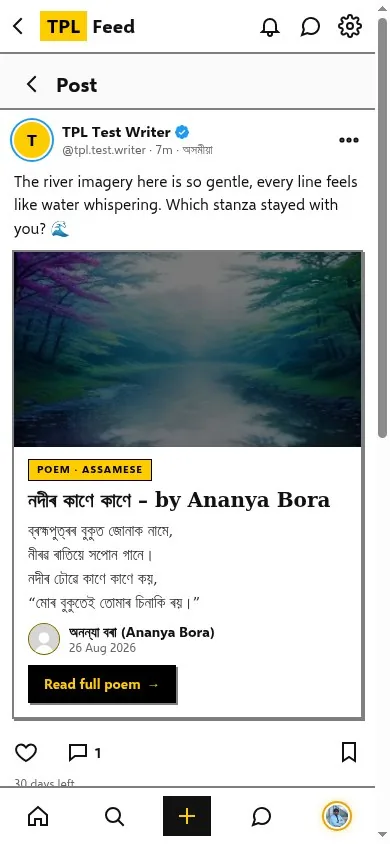
- Tap Post. Your words appear with the writing card below them.
Not signed in yet? Continue with Google, and you land right back in the same post box. The writer gets a notification that a discussion has started on their work.
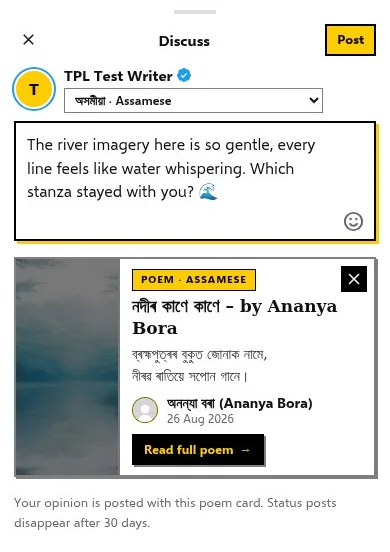
The writing card shows the cover, the type and language, the title, the first lines in the writing’s own script, the writer’s name and photo, the date, and a Read full poem → button. Tip: paste the link of any poem, story or article from The Poetic Land into a post or a comment, and it turns into the same card on its own.
Share a post as an image, or quote it
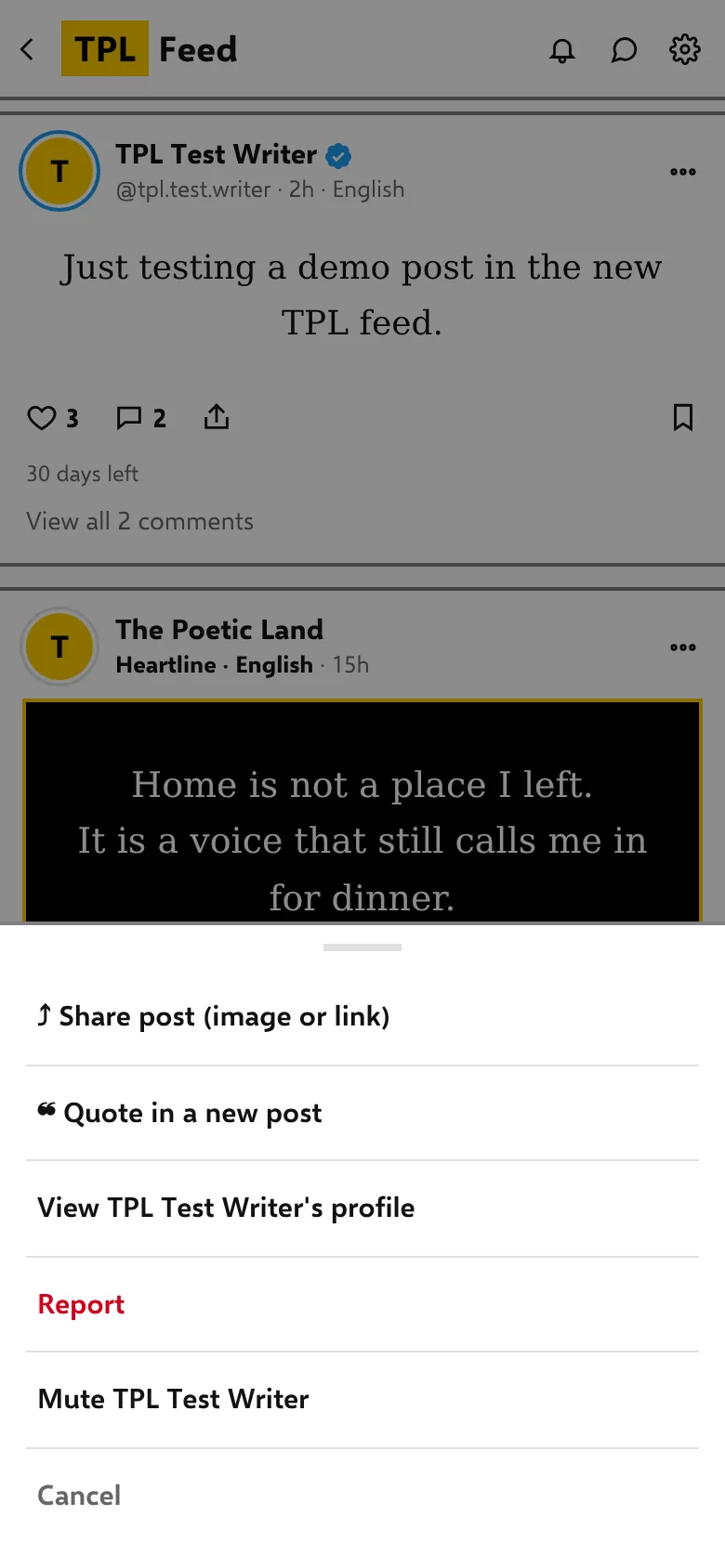
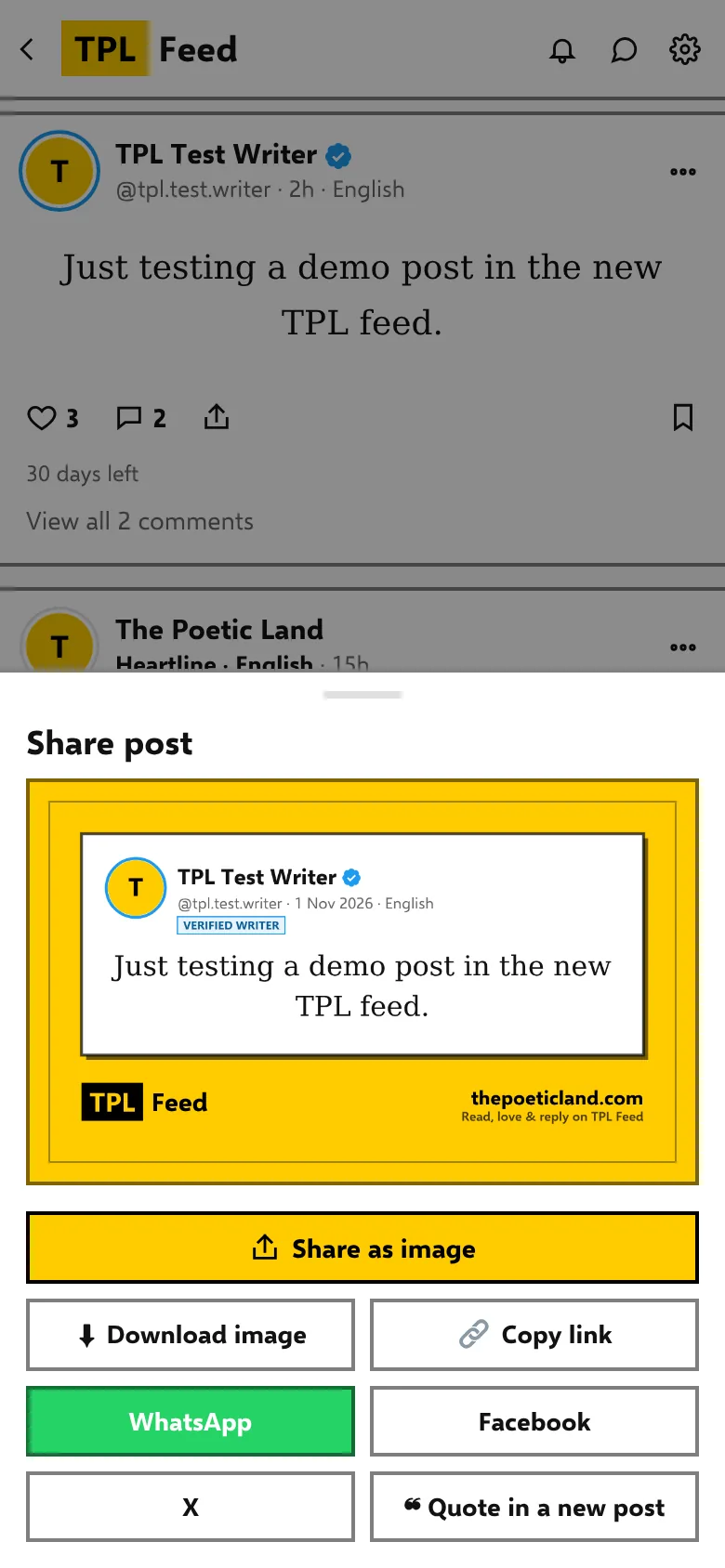
Every Feed post now has a ⋯ menu with two new choices:
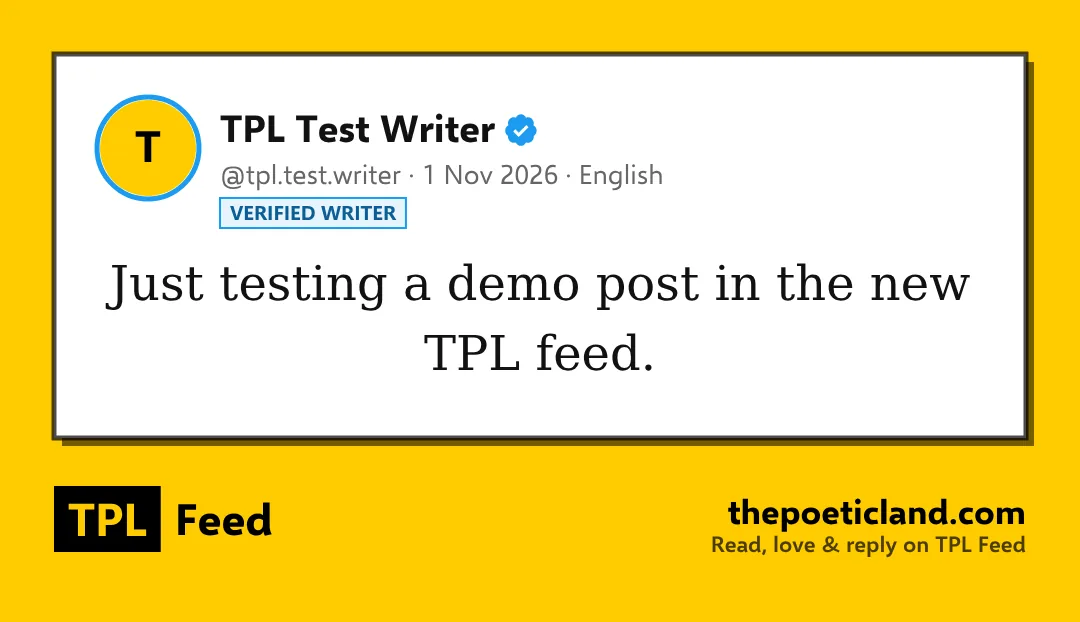
- ⤴ Share post. TPL Feed turns the post into a clean image with our logo, ready for WhatsApp, Instagram and anywhere else. On a phone, your usual share sheet opens. You can also download the image, copy the post’s link, or share straight to WhatsApp, Facebook or X. The link opens the post itself, even for friends who are not on TPL Feed yet.
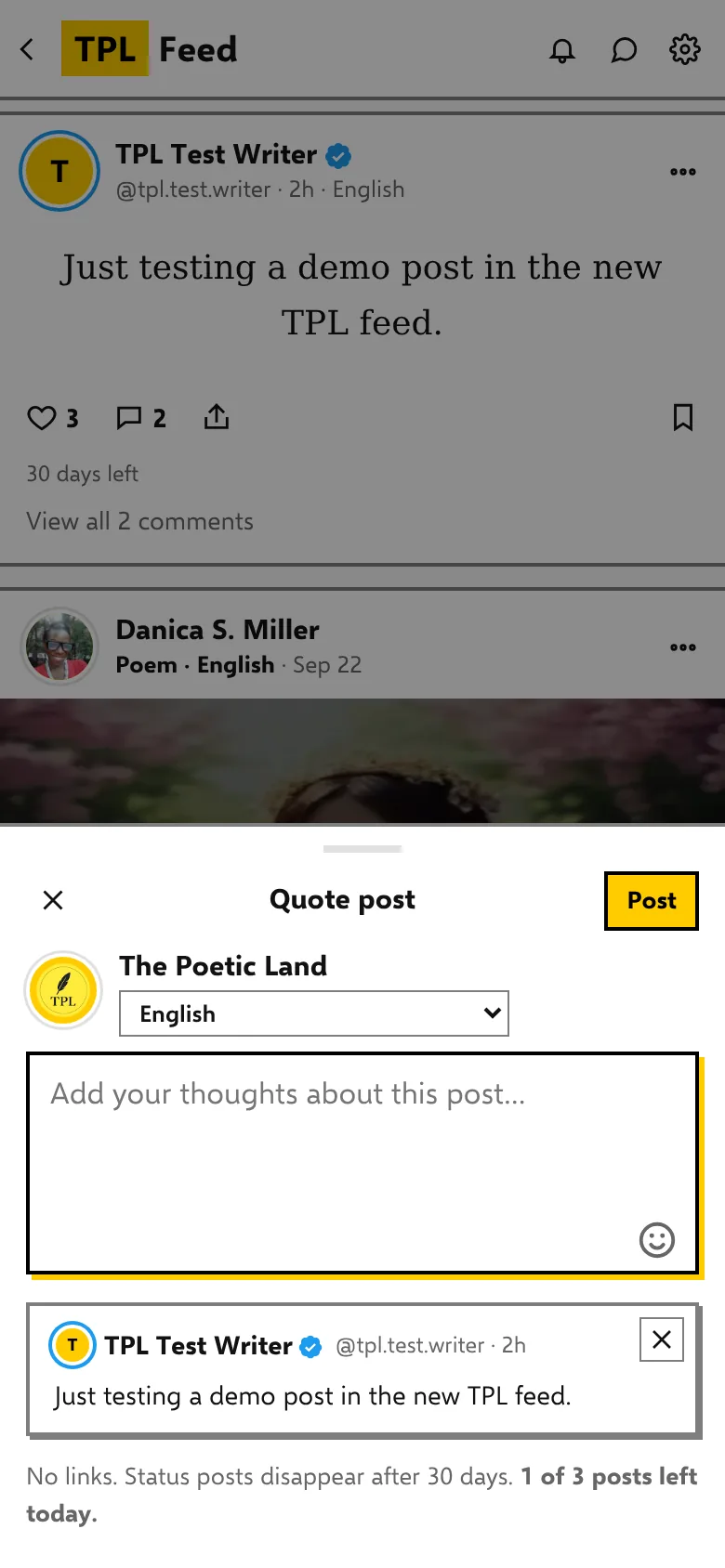
- ❝ Quote in a new post. Attach someone’s post to your own, as a card, and add your thoughts. The original writer gets a notification. Posts from private accounts cannot be quoted.
Edit your post within 10 minutes
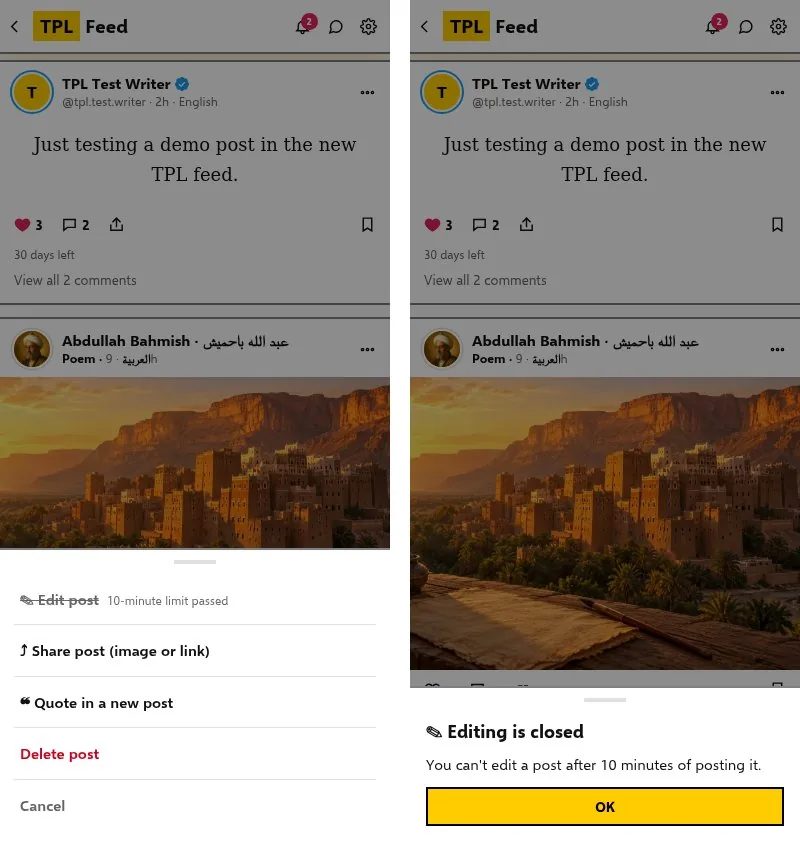
Spotted a typo just after posting? Tap ⋯ → Edit post. You have 10 minutes after posting, and the menu shows how many minutes are left. Edited posts show a small Edited label. After 10 minutes the post is locked: “You can’t edit a post after 10 minutes of posting it.”
Messages that feel like home
Direct messages in TPL Feed have grown up. If you have used any modern chat app, you will feel right at home.
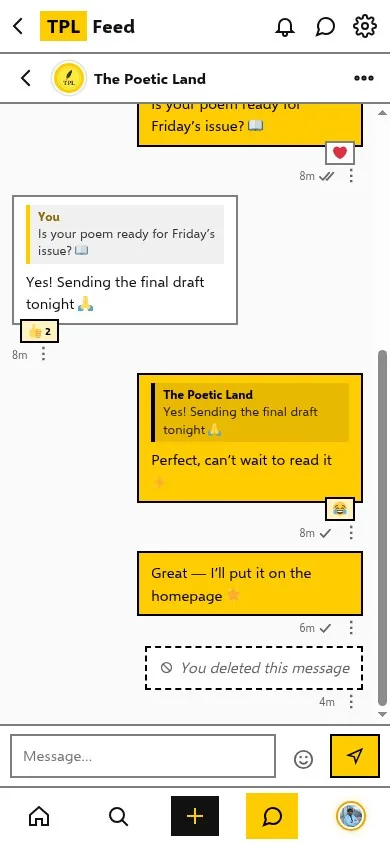
- Ticks. A small clock while sending, ✓ sent, grey ✓✓ delivered, and blue ✓✓ read. They update on their own while the chat is open.
- Reply with a quote. Swipe a message to the right (or tap ⋮ → Reply). Your reply shows the quoted message on top; tap the quote to jump back to the original.
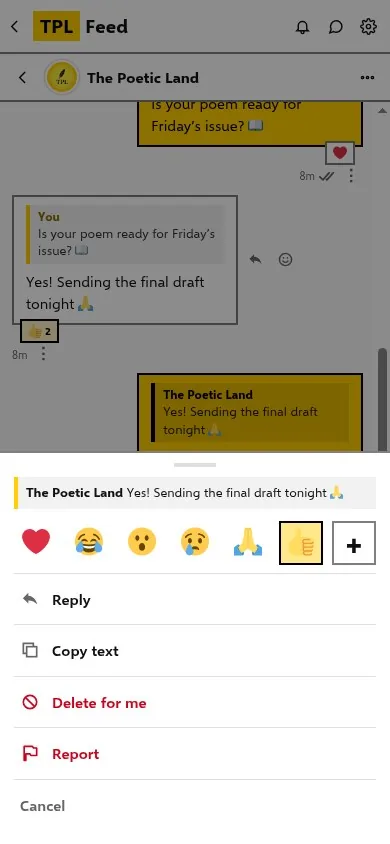
- Reactions. Long-press a message, or tap ⋮, and choose ❤️ 😂 😮 😢 🙏 👍, or + for any emoji. Reactions sit under the bubble; tap one to see who reacted.
- The ⋮ menu. Reply, Copy text, Delete for me, Delete for everyone (your own messages, within 24 hours), and Report.
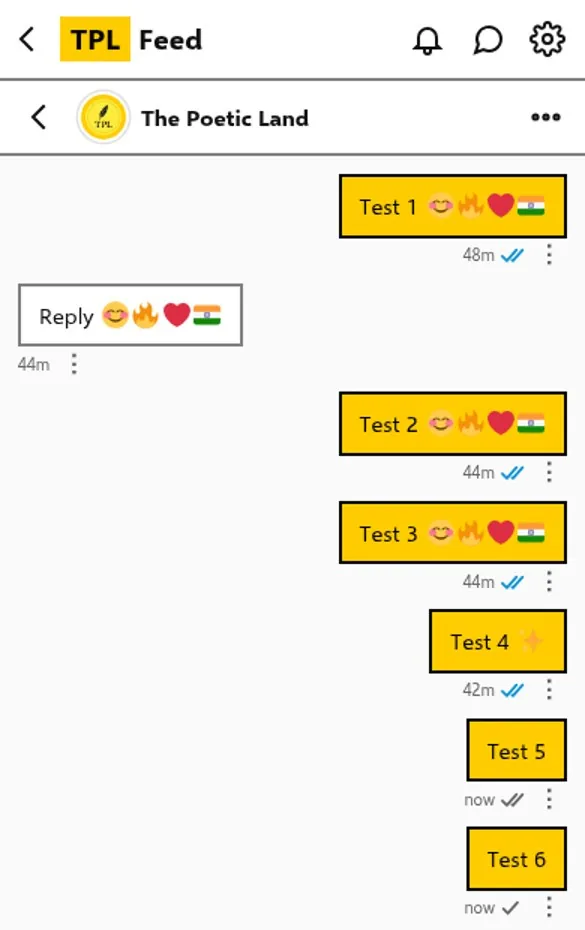
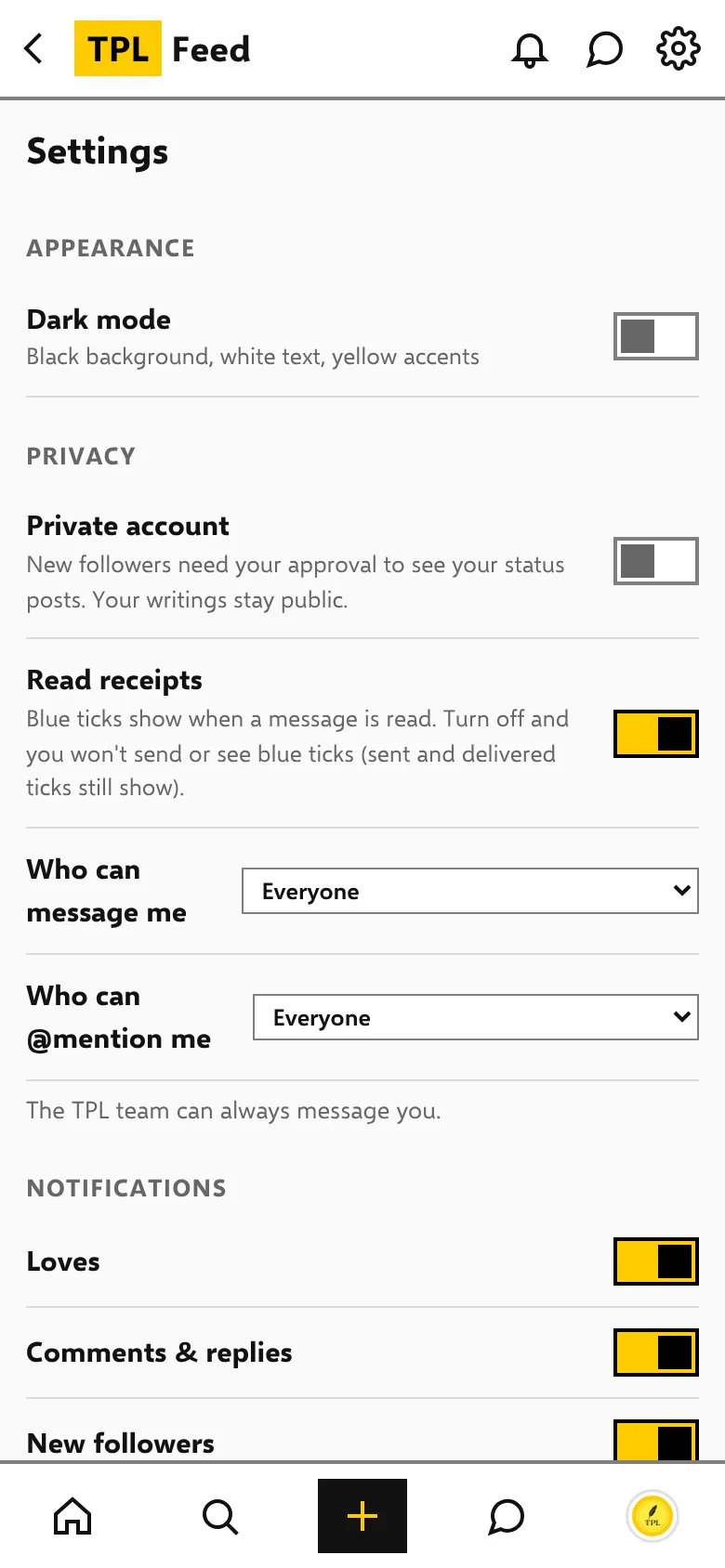
Read receipts are your choice. Go to Settings → Privacy → Read receipts. It is on by default. If either person turns it off, neither sees blue ticks (sent and delivered ticks still show). In the same place you can choose who can message you or @mention you, make your account private, and switch on dark mode.
Emojis everywhere, on every device
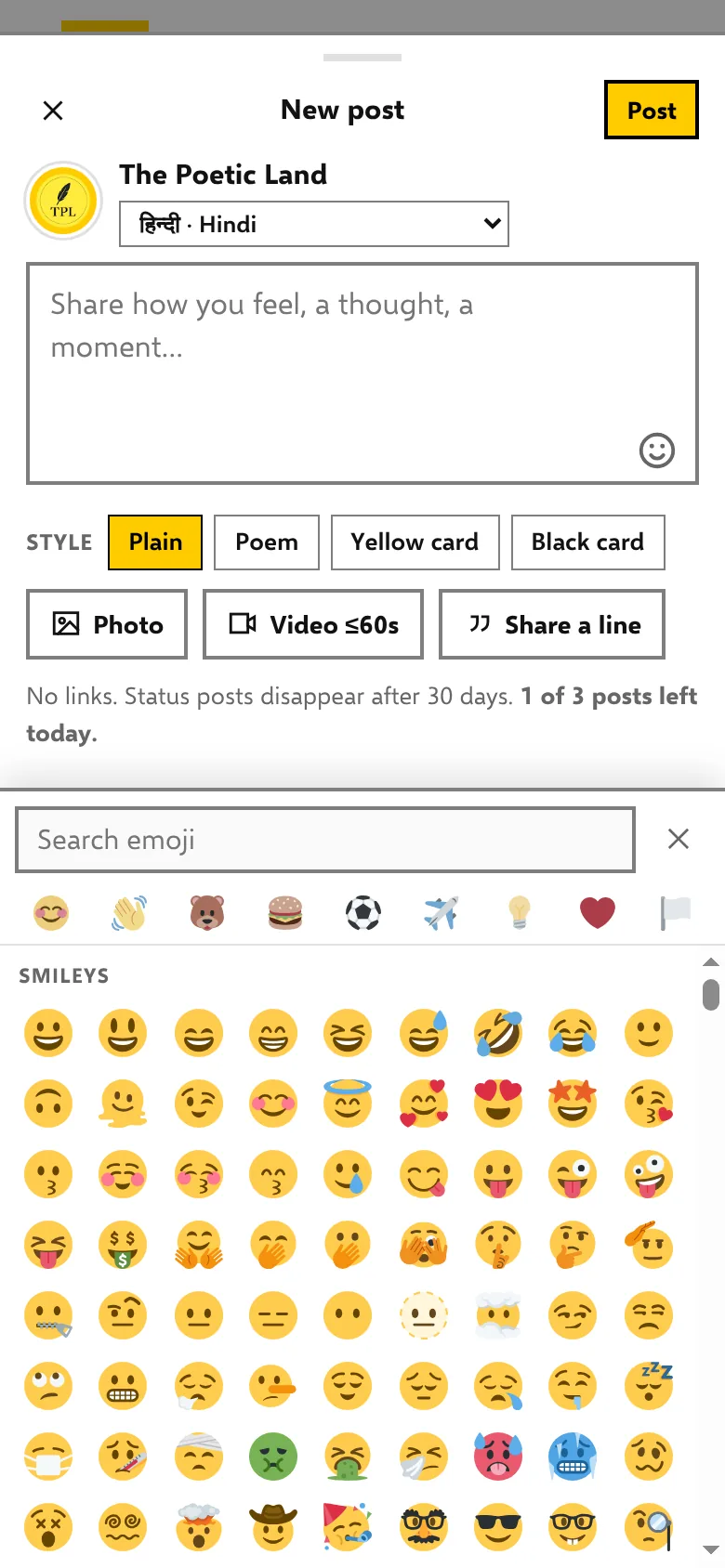
A 😊 button now sits in the post box, in comments and replies, in messages and in your bio. It opens an emoji picker with categories, search and your recently used emojis, as a sheet on phones and a small window on computers. Prefer your own keyboard? Phone emoji keyboards work as always, and on a Windows laptop press Win + . to open the emoji panel.
Emojis now look the same for everyone, on every phone and computer, even the newest ones that older devices could not show before.
Join TPL Feed
Look for the yellow Join TPL Feed banner on our home page. Joining takes a moment: continue with Google, and you are in. It is free for every reader and writer of The Poetic Land.

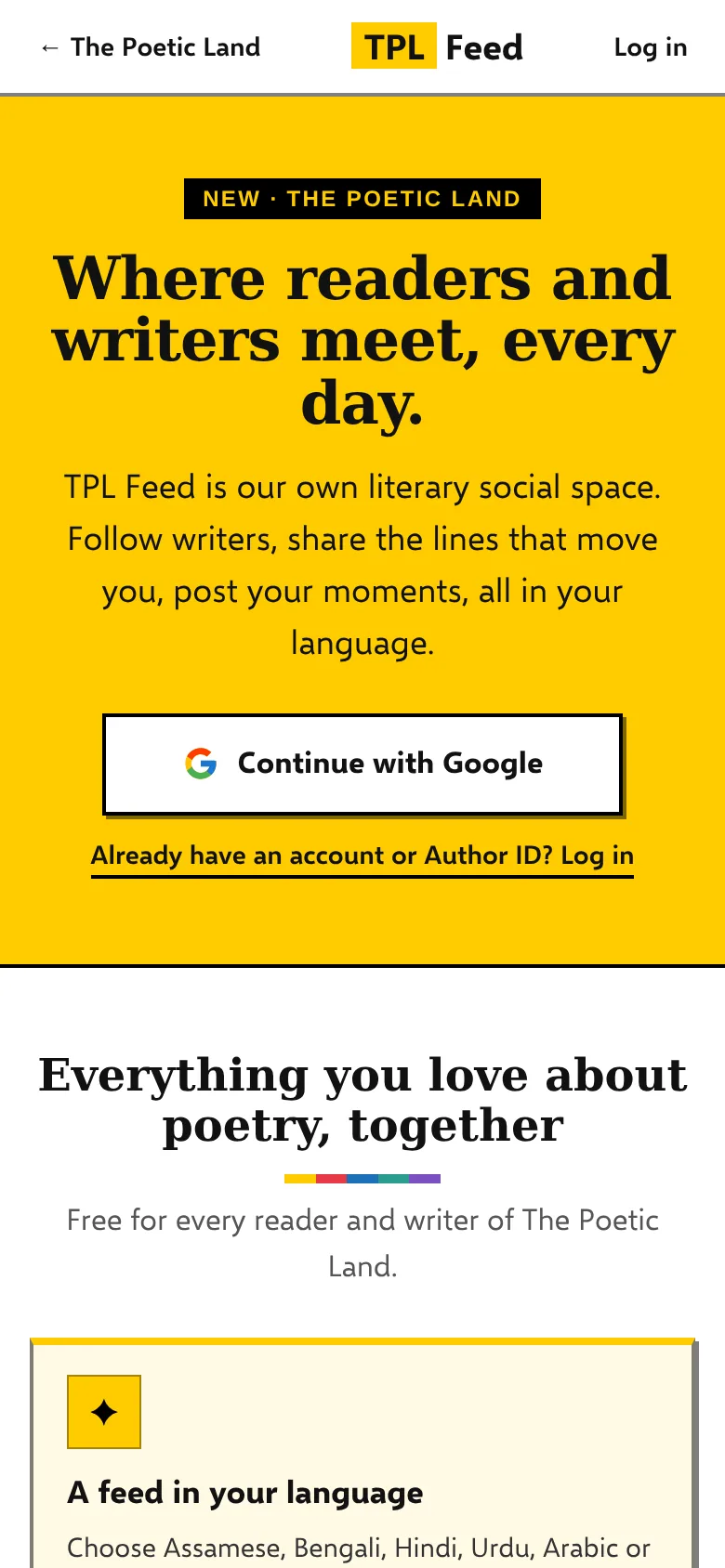
You will also find TPL Feed on our Explore page, right below the search.

Every one of these features was shaped by what readers and writers asked us for. Tell us what you would like next, right there in the feed.